 kiwi
kiwiThought to table. Home cooking, simplified.
Kiwi builds a meal plan that is yours alone: your tastes, your skill level, what you prefer and what you avoid. Ninety seconds from no plan to a full cart, ready to check out. Then it walks you through the cooking, step by step. Like a meal kit, without the middleman.
Try it now — no account needed.
The Test Kitchen builds a week of dinners for you, free, with nothing to sign up for. Kiwi is live on the web and on Android; the iPhone app is coming soon — see how it works.
Bespoke, every time
Not canned plans with your name on them. A fully custom plan built for you, on demand, from meals you'll actually like.
No middleman
Meal kits assemble your ingredients in a factory, and you pay for every step. Kiwi sends the list to your store or your cart — nothing marked up, nothing wasted.
Your ingredients, your way
Order online or shop locally. Pick your own produce, your own butcher, your own brands. You control the quality and where your food comes from.
Bring your regulars
Tuesday tacos, grandma's chili, that recipe from a link or a photo. Add your own meals and mix them with the Kiwi Cookbook.
Find and share
Find recipes and plans from other home cooks like you, and share the ones your table loved.
A calm kitchen
Never forget an ingredient. Recurring items for the things you need every week. And when the kids ask "when's dinner?", just look at the app.
Plan. Shop. Prep. Cook.
One flow, start to finish — built on Kiwi’s patent-pending grocery and prep technology. No juggling recipe tabs, list apps and guesswork.
Pick from a list. That's the whole job.
Tell Kiwi who's at the table, your preferences and avoidances, how much time you have and how you like to cook. Then pick the meals you want from a list built just for you — or let Kiwi build the whole week and pull in your favorites.
- Any number of dinners, any skill level
- Swap anything without redoing the week
- Fancy on Saturday, fast on Tuesday: both are real cooking
Takes the burden. Makes it faster. Skips the planning stress entirely.
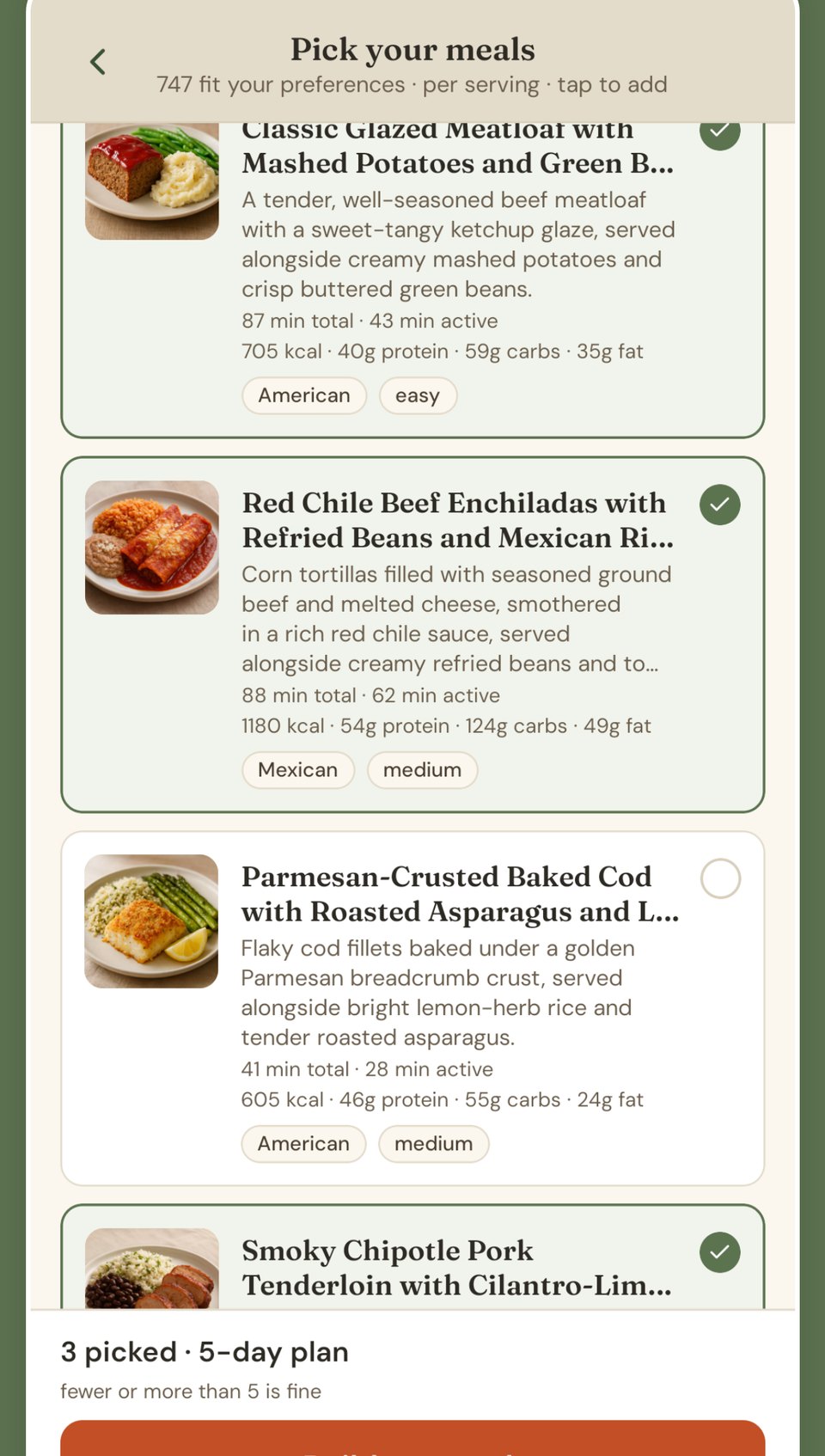
From no plan to groceries in the cart in under 90 seconds.
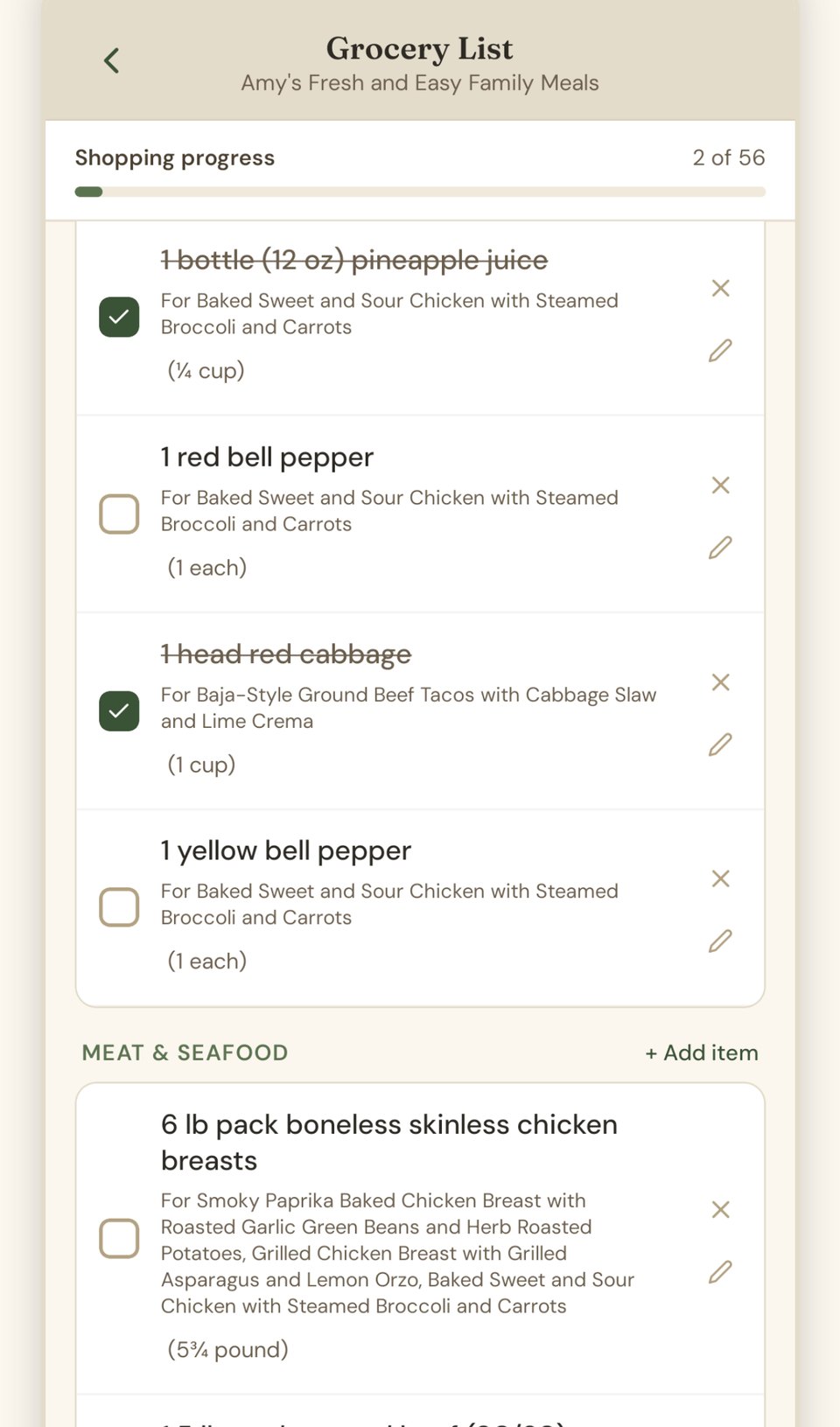
One list for the whole week, written for you. Send it to Instacart and it's in a cart, ready to order. Prefer to shop yourself? The list is organized for the store and checks off on your phone. Buy the produce in one place and the rest somewhere else — the list keeps your progress. Someone else doing the shopping? Send them the list.
- Every ingredient from every meal, merged and measured
- Already have it? Skip it — the list adjusts
- Kids need snacks? Paper towels? Add them once as recurring items and take them off your mental load for good
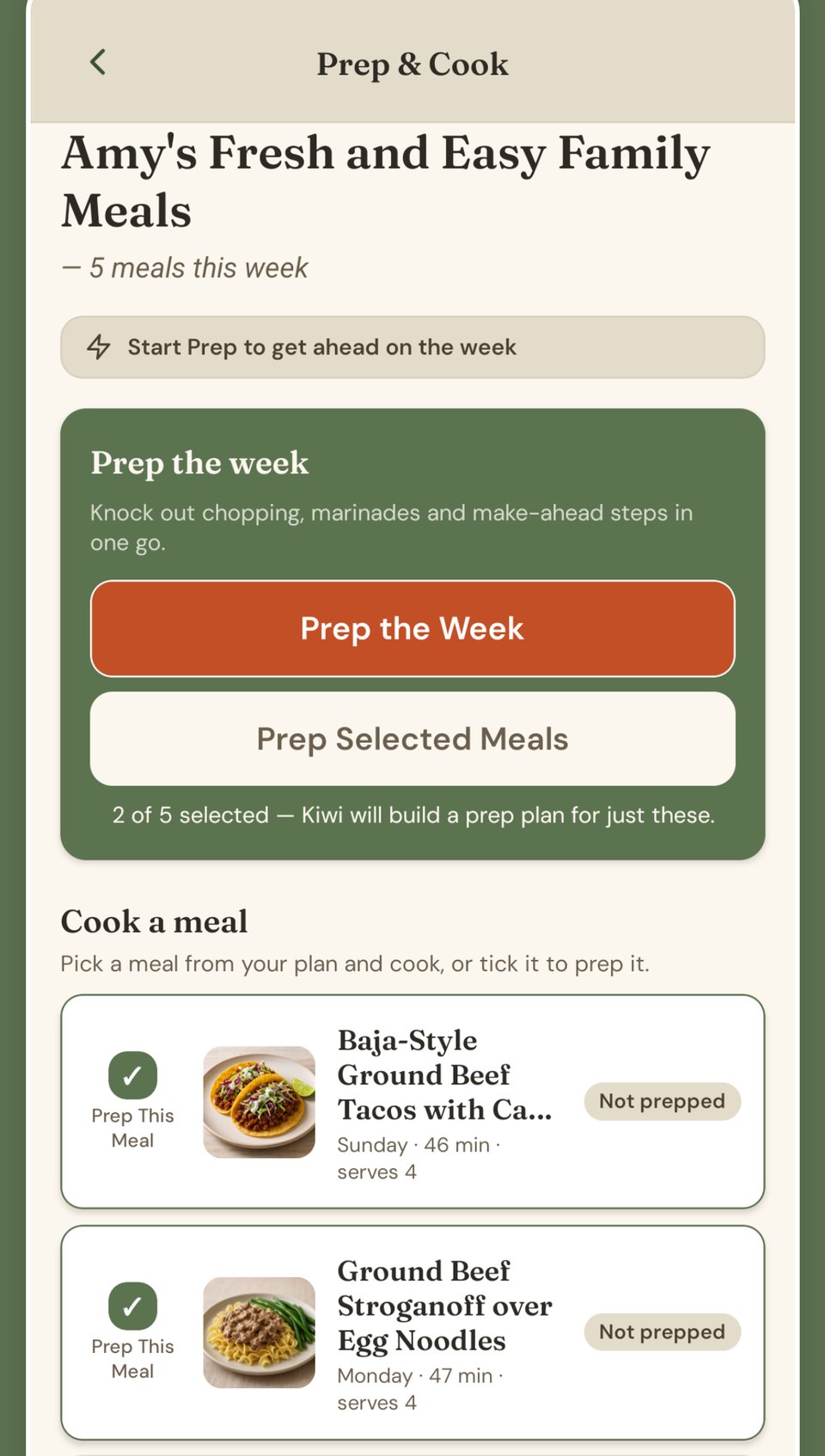
Prep in the morning, cook at night. Or prep on Sunday and coast all week.
Kiwi knows which parts of the week's cooking can be done ahead and groups them into one prep session — chop once, marinate once, cook the grains once. Busy parents, shift workers, anyone who gets home at six: the hard part is already done.
- One session covers the week, or one morning covers tonight
- Already prepped? Those steps skip themselves
- Skip prep entirely and cook straight through — Kiwi meets you where you are
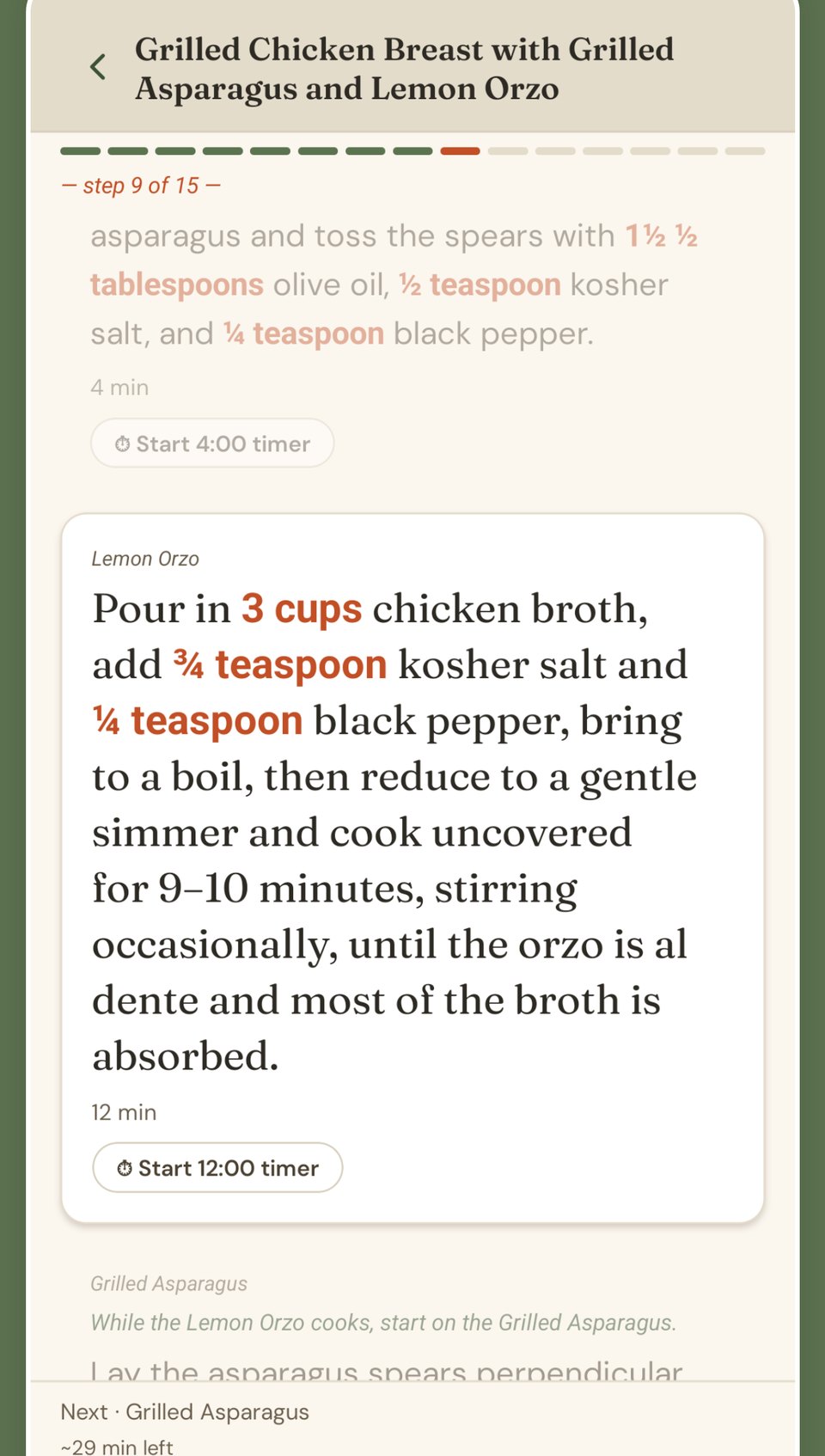
Step by step, timed so everything lands together.
Beginners get every step spelled out. Experienced cooks get the timing — the sides finish while the main rests.
- One step at a time, big enough to read from the counter, timers built in
- Dishes sequenced so everything finishes together
Real recipes, written to be cooked on a Tuesday
Free to read: full recipes with ingredients, steps and macros, and every amount written into the step where you use it. New dinners every day.
Browse the Kiwi CookbookTry everything, free
Every feature unlocked for two weeks. Plan, shop, prep and cook — then decide.
Then less than $2.50 a week
Everything in the app: unlimited plans, the grocery list, online ordering, your own recipes, Prep & Cook.
Cancel any time.
Start your free 14-day trial$9.99/month or $99.99/year
After your free trial. The annual plan is nearly two months free.
Kiwi is on the web and Android. iPhone is next.
Create a free account and start cooking this week. On Android? Get it on Google Play. Want a heads-up when the iPhone app lands? Leave your email.
Tell me when the iPhone app is out
No spam — one email, the day it lands.
— we'll only write when it matters —
You're on the list. We'll write once, when the iPhone app is out.
FAQ
Is Kiwi a meal kit?
No. Meal kits assemble your ingredients in a factory and you pay for every step. Kiwi plans around you and sends the list to your store or straight to your cart — order online or shop locally, your ingredients how you want them. Like a meal kit, without the middleman.
Are the plans really custom?
Yes. Not canned plans with your name on them. Every plan is built for you on demand — your household, your preferences and avoidances, your time and skill — from meals you'll actually like. Pick the meals yourself, or let Kiwi build the week and pull in your favorites.
Can I use my own recipes?
Yes. Add your regulars from a link, a photo or plain text, and mix them with the Kiwi Cookbook in any plan.
Does Kiwi handle dietary preferences and allergies?
Yes. Tell Kiwi what you eat, what you avoid, and what you're allergic to, and every plan it builds respects it. You can also swap any meal or ingredient that doesn't feel right.
Do I have to order groceries online?
No. Instacart is one tap if you want it. Otherwise the list is organized for the store and checks off on your phone — at one store or three — and you can send it to whoever is doing the shopping.
Do I have to prep ahead?
No. Prepping ahead is there when you want it — Kiwi can batch the week's prep into one Sunday session, or a morning session for that night. Cooking straight through on a Wednesday with nothing prepped is just as supported; Kiwi starts you from step one.
Where can I use Kiwi?
On the web at app.kitchenwizard.ai from any browser, phone included, and on Android from Google Play. The iPhone app is coming soon — same account, same plans, everywhere.